Blog
In October PlanMee started looking ahead: the new Cashflow tab shows how much money you'll have in the coming weeks and months, and what happens if things don't go to plan. Documents can now be signed online, every company can design and issue its own certificates, and subcontractors and new workers fill in their details themselves through a link. Attendance, the calendar, chat, invoices and the home page got a complete redesign. Here's an overview of everything we added in October.
New Features
Cashflow: Your Money Weeks Ahead
The financial report has a new Cashflow tab. By week or by month it shows the money that came in and went out, what you still expect from unpaid invoices and how your bank balance will develop. Click any amount to see the documents behind it.
- Your balance and a safety minimum — enter your bank balance, add payments that don't have a document yet (rent, a loan instalment, a tax) and set the lowest balance you want to keep. If the outlook drops below it, PlanMee lets you know.
- When customers really pay — few customers pay on the due date. PlanMee learns how late each customer usually pays and expects their money then.
- Estimates — if you want, the outlook also includes future recurring invoices, wages and VAT.
- "What if" — what if customers pay a month later, or a job falls through? Try it and see what happens to your balance. The Pessimistic and Crisis scenarios are one click away, and you can save your own and compare them.
- Indicators — how many days customers take to pay you and how many days you take to pay others, how much money goes out in an average month and how many months your money will last.
The balance is visible only to people who see the whole company's finances.
Sign Documents Online
Documents generated in a worker's Contracts tab no longer need to be printed. Click Send for signing and the worker gets a link by e-mail or finds the document in their PlanMee portal. They read it, confirm with a code sent to their e-mail and sign — or decline and say why.
Once everyone has signed, the signed PDF is saved with the worker, together with a page that records who signed and when. Several documents can be signed in one go, and PlanMee sends a reminder before the link expires.
You can also generate several documents for a worker at once, and add your logo, signature or stamp to your templates.
Your Own Certificates
Every company can now design its own certificates in Settings → Workers → Certificate templates: choose a design, colours, logo and signatures, how long the certificate is valid and how it's numbered, and watch the preview change as you type. Ready-made samples for safety training, a professional qualification and course completion get you started.
Issue a certificate from the worker's Certificates tab, or for the whole crew at once with Generate for several — PlanMee first checks whose details are missing and then gives you one PDF to print. Anyone who scans the QR code on a certificate can check that it's genuine and still valid, and you get a reminder before it needs renewing.
Subcontractors Fill In Their Details Themselves
No more copying details from e-mails. Click Invite subcontractor and send the link. The subcontractor fills in their company details, documents and workers step by step. You then check the submission — PlanMee shows what differs from the details you already have and which workers may already be in PlanMee — and approve it: the subcontract, its workers and their documents are created at once. Or send it back for corrections.
A Worker Questionnaire Made for the Phone
The worker questionnaire is now five short steps that are easy to fill in on a phone. Only the essentials are required, documents can be uploaded right where they belong, and everything the worker fills in goes straight to their card. You can also send it to an existing worker to update their details — anything they leave blank stays as it was.
Attendance, Redesigned
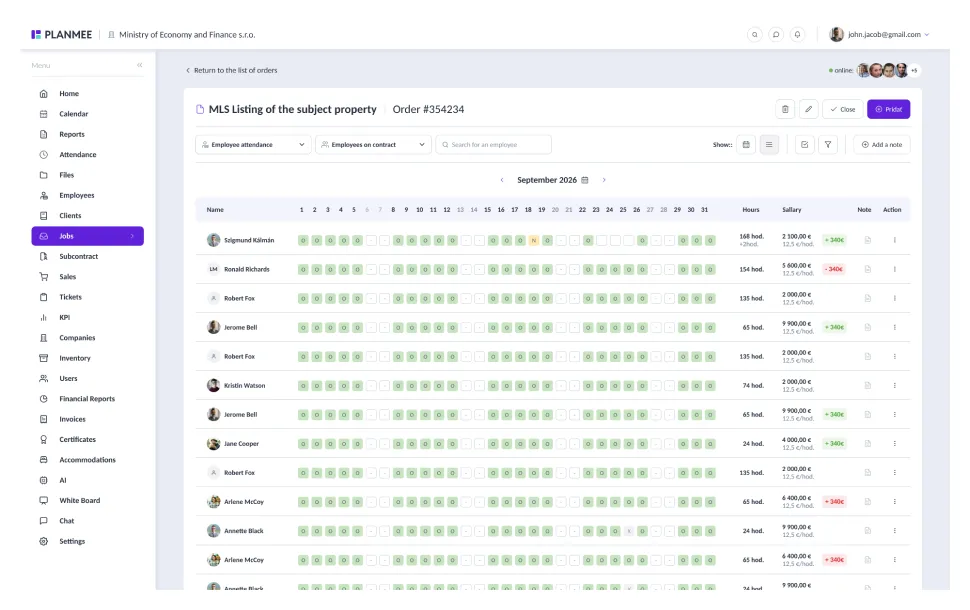
The new attendance overview shows the whole month for everyone at a glance, each day in its category's colour, with daily totals and who's at work right now.
- Add in bulk — drag across the grid to select workers and days and add their attendance at once.
- Close the month for payroll — once an administrator closes a month, nobody else can change it.
- History — see who changed a record and how.
- Excel for payroll — the export starts with a Payroll summary: worked hours, overtime, work days, sick days, leave and holidays for every worker.
Everyone records only their own attendance; an administrator can record everyone's.
Calendar, Redesigned
The calendar has a fresh look with month, week and day views. My schedule shows just your own events. Events can now have a place, a reminder, invited guests who get notified, a priority and linked tasks.
Chat, Redesigned
The chat is cleaner and can do more: an unfinished message waits for you in each conversation, you can pin important messages, mute a conversation and find all its files and images in one place. Type # to link a job, task, client or invoice, create a task straight from a message and search across all your conversations.
Invoices, Redesigned
The invoice list shows the key numbers at the top, with a quick preview, filters and bulk actions. The invoice detail shows the items, what has been paid and what remains, a preview of the document right next to it, comments with photos and the full history. Each item can now have its own discount, recurring invoices included, and invoices work well on a phone.
A New Home Page with Quick Upload
The home page has been rebuilt with your tasks, results, profit, announcements, calendar and notifications in one place. The new Upload button lets you snap a photo of an invoice or receipt with your phone (or your computer's webcam), pick files or simply drop them on the page — then choose what it is and PlanMee files it in the right place. Received invoices are read by AI and sent to the approver. Several photos can be combined into one PDF.
Improvements
- Comments can now be edited and deleted everywhere in PlanMee.
- A job's Hours tab shows how many days each worker worked, and adding hours fills in the days by itself without overwriting hours already entered.
- Job statistics can be exported to Excel and PDF.
- The financial report's Charts tab now covers all documents that match your filter, not just one page of the table.
- Settings are grouped into six clear sections, with a search that finds any setting as you type.
- Workers can have emergency contacts, and subcontractor groups more contact persons.
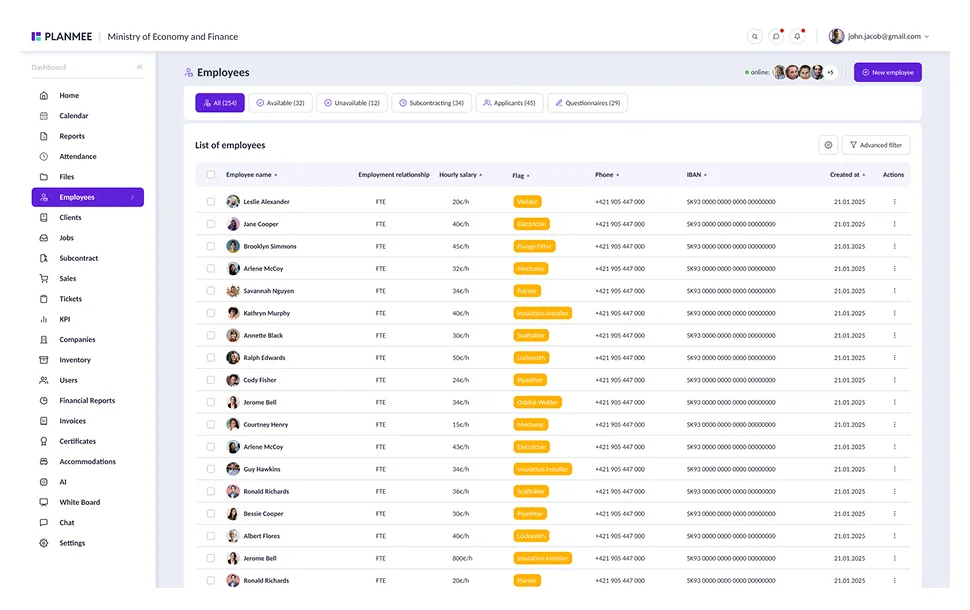
- A worker's portal access is now in one place — invite them, send the login link again or revoke access.
- An approver can decide costs waiting for approval even when they're assigned to someone else.
- Sales, search, notifications, correspondence, subscriptions, user profiles and accommodation also got the new look.
- E-mails and notifications arrive in each user's own language.
- We've tightened security across the app.
What We're Working On
The PlanMee mobile app for iPhone and Android is in development — jobs, clients, tasks, the calendar, attendance with check-in and check-out, chat and the dashboard, right in your pocket.
Bug Fixes
- Work hours: the hourly rate comes from the worker's terms for each day, not a default rate
- Invoices: a payment recorded on an invoice now also marks it as paid in the financial report
- Invoices: deleting an invoice also removes it from the financial report and the revenue on the home page
- Invoices: the original file opens in a new tab again
- Financial report: the approval page lists only the items you're responsible for
- Calendar: events spanning several days, the next event and saving work correctly
- Portal: access is revoked when it should be, and invitations can be sent again
- Search results open the job, client or e-mail they point to
- Users without an e-mail address appear in attendance, the calendar and user lists
- Clicking outside a side panel or dialog closes it again
- Many other smaller fixes
Subscribe to our newsletter
Stay up to date with our latest articles and product updates, please subscribe to our blog newsletter.
Share